
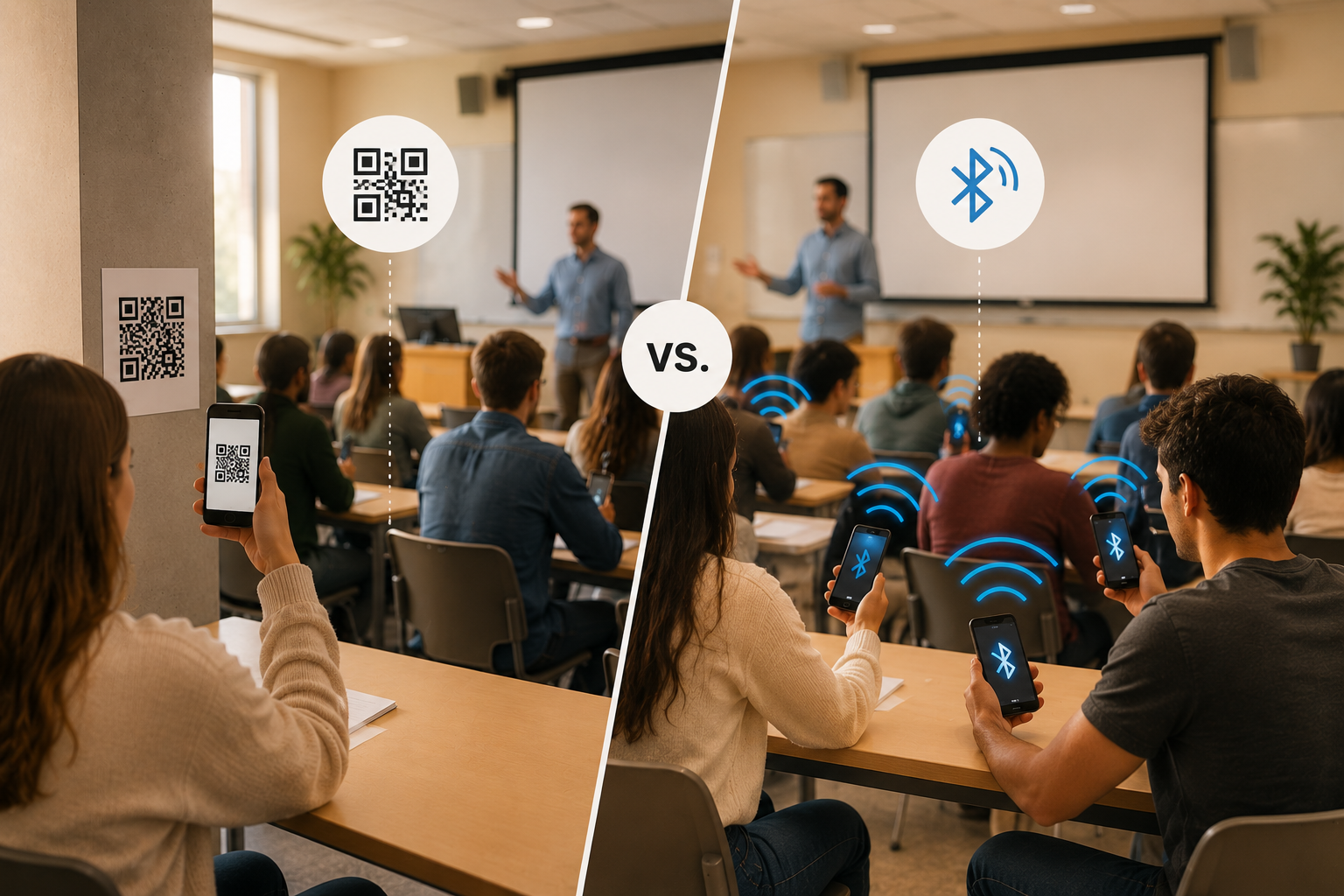
When it comes to QR code vs Bluetooth attendance tracking, both represent a genuine improvement over roll call and paper sign-in sheets. They are faster, produce digital records, and remove the manual transcription step that costs instructors time after every session. So if both are better than the traditional methods, how do you choose between them?
The answer depends on what matters most in your specific teaching context. This article compares the two methods across five criteria that university instructors actually care about, identifies where each one performs well, and flags where each one falls short. The goal is a clear decision framework, not a verdict that applies to every situation.
For a deeper explanation of how either technology works, see Bluetooth attendance tracking for universities: the complete guide and How to check attendance: the different methods and our solution.
How each method works
QR code attendance works by displaying a unique code (on a slide, a screen, or a printed sheet) that students scan with their phone camera to register their presence. The scan triggers a check-in, usually through a link or a dedicated app. Some systems use static codes that remain valid for the whole session; more secure versions rotate the code every 30 to 60 seconds to reduce the window for sharing.
Bluetooth attendance works by having the instructor emit a short-range Bluetooth Low Energy signal from their device. Students open an attendance app, and their device detects the signal and registers their check-in. Because the signal only exists within a defined physical range, students need to be in the room to connect. There is no code to display, photograph, or share.
QR code vs Bluetooth attendance tracking: five criteria that matter
Speed and ease of check-in
Both methods are fast. A QR code check-in takes a few seconds once the student has their camera open. Bluetooth check-in requires the student to open the attendance app and tap once.
The practical difference shows up at scale. With QR codes, students scan individually and sequentially, in a large lecture, there can be a brief bottleneck as students wait for signal or fumble with their camera. With Bluetooth, all students check in simultaneously once the signal is active. The time taken does not increase with class size.
Verdict: Both are fast in small classes. Bluetooth has a meaningful advantage in large lectures.
Setup for instructors
QR code systems require minimal instructor setup. Many tools generate a code automatically at the start of a session, and no app installation is needed on the student side, any smartphone camera works.
Bluetooth requires students to have the attendance app installed before the first session. This is a one-time setup, but it does require a brief onboarding step at the start of the course, usually five minutes in the first class. After that, no additional setup is needed for subsequent sessions.
Verdict: QR codes have a lower barrier for one-off or ad hoc sessions. Bluetooth has a higher initial setup but no additional friction after the first session.
Resistance to proxy attendance
This is where the two methods diverge most significantly.
A QR code is an image. Once displayed, it can be photographed and shared via message to students who are not in the room. Static codes are particularly vulnerable. Rotating codes narrow the window but do not close it, a code shared in a group chat can still be used by absent students if they act fast enough. For a full discussion of proxy attendance and why it matters, see Proxy attendance in universities: what it is and how to stop it.
Bluetooth cannot be shared remotely. The signal exists only within the physical range of the instructor’s device. A student who is not in the room cannot receive it and use it to check in. This makes proxy attendance meaningfully harder, though not impossible (a student could hand their unlocked phone to a classmate, which requires physical coordination rather than a simple screenshot.)
Verdict: Bluetooth is significantly more resistant to proxy attendance. QR codes, even rotating ones, remain vulnerable to sharing.
Performance in large classes
In a class of 20, the difference between the two methods is minor. In a class of 200, it becomes significant.
QR code check-in in a large lecture hall can create practical issues: students at the back may struggle to scan a code displayed on a distant screen, and any delay in loading the check-in link adds up across a large group. Rotating codes add time pressure that can frustrate students in rows with poor view.
Bluetooth broadcasts across the room simultaneously. Every student within range can check in at the same time, regardless of where they are sitting. No sightlines required, no scanning distance to manage. For more on attendance in large-class environments, see How to take attendance in large university lectures.
Verdict: Bluetooth scales more reliably to large lecture environments. QR codes work well in small to medium classes.
Suitability for online and hybrid sessions
Neither method was designed for fully online delivery, and it is worth being clear about this.
QR codes cannot be used for remote students in any meaningful way, displaying a code on a shared screen removes any presence verification entirely, since anyone with access to the stream could scan or photograph it.
Bluetooth is a proximity technology and does not apply to online sessions at all. For hybrid sessions, it covers the in-person group but leaves remote students without a check-in method.
The practical solution for online and hybrid delivery is a manually delivered session code, a short, randomly generated code shared verbally by the instructor during the live session. This is not the same as a QR code and carries different security properties, though it is still possible for a student on the call to share the code with an absent friend. For a full discussion of how attendance works across hybrid and online formats, see Attendance tracking for hybrid and online university courses: a practical guide.
Verdict: Neither method works well for online sessions in isolation. A manual session code is needed as a fallback for remote delivery.
Comparison table
| Criteria | QR code | Bluetooth |
|---|---|---|
| Can students share it with absent friends? | Yes: a screenshot is enough | No: signal requires physical presence in the room |
| Time lost at the start of class | Varies, scanning can slow down in large rooms | Minimal, all students check in simultaneously |
| Works if a student has no app installed | Yes: any camera works | No: app required (one-time setup) |
| Reliable in a 200+ seat lecture hall? | With limitations — sightlines and distance affect scanning | Yes — signal broadcasts across the room |
| Quality of the attendance record as evidence | Confirms a device scanned the code, not who was there | Confirms the specific student’s account was present in the room |
When QR codes are the right choice
QR codes are a reasonable option in specific circumstances.
They work well for low-stakes, one-off sessions where fraud prevention is not a priority, a guest lecture, a workshop, a conference session, or an event where the point is capturing rough headcount rather than a verified record. They are also useful when students are unlikely to have a dedicated attendance app installed, or when the instructor needs something that works with no student preparation at all.
If your institution runs occasional sessions rather than recurring courses, and attendance does not affect grades or compliance documentation, a QR code system is a practical and straightforward choice.
When Bluetooth is the better option
In the QR code vs Bluetooth attendance tracking debate, Bluetooth becomes the stronger choice as the stakes of the attendance record increase.
For recurring university courses where attendance affects grades, visa compliance, or academic progression, the proxy attendance vulnerability of QR codes is a meaningful problem.
Bluetooth is also the better choice for large lectures, where the simultaneous check-in mechanism avoids the sightline and scanning issues that affect QR codes in big rooms. And for courses where attendance data feeds into institutional reporting (academic advisor alerts, funding compliance, accreditation records) the integrity of the underlying data matters more than the convenience of setup.
For a framework to help evaluate which system fits your institution’s needs more broadly, see Attendance tracking software for universities: how to choose the right system.
What about online and hybrid sessions?
For fully online sessions, neither QR codes nor Bluetooth are the ideal solution, though for different reasons.
Bluetooth is a proximity technology meaning it requires the instructor’s device and the student’s device to be physically in the same space. For a remote student joining from home, there is no signal to detect, so Bluetooth simply does not apply.
QR codes can technically be used in an online session by displaying the code on screen during a video call, but this removes any meaningful presence verification. Anyone with access to the stream can photograph or screenshot the code, and there is nothing to confirm the student was actually engaged rather than briefly connected to take a screenshot and leave.
Most online platforms (Google Meet, Zoom, Microsoft Teams, and most LMS environments) already generate their own attendance data in the form of login records and connection timestamps. The limitation of these reports is that they confirm a student connected, not that they were present and engaged. A student can join a session, mute their audio, disable their camera, and leave within two minutes while the platform records them as present for the full duration.
This is where a manually delivered session code provides a more meaningful signal. The instructor generates a short, session-specific code during the live class and shares it verbally; spoken aloud on the call rather than displayed as an image. Students who are actively present enter it in the Attendance Radar app to mark their attendance. It is worth being transparent about the limitation: a student on the call can share the code with an absent friend. The manual code raises the bar compared to a platform login report but is not fraud-proof in the way Bluetooth proximity verification is.
For hybrid sessions, Bluetooth covers the students physically in the room, and the manual code covers those joining remotely, both check-ins land in the same session record. For a full discussion of how this works in practice, see Attendance tracking for hybrid and online university courses: a practical guide.
How Attendance Radar handles both contexts
Attendance Radar uses Bluetooth as its primary check-in method for in-person sessions, covering the use cases where Bluetooth’s advantages, proxy resistance, large-class scalability, simultaneous check-in matter most.
For online sessions, hybrid classes, or situations where a student cannot connect via Bluetooth, instructors switch to the manual session code. Both methods produce the same structured attendance record, stored automatically and exportable to Excel. The result is a single system that covers in-person, hybrid, and online delivery without requiring different tools for different formats.
Universities including Tilburg, Indiana Wesleyan, Antwerp, and IESE Business School use Attendance Radar across teaching formats ranging from small seminars to large lecture halls and MBA programmes.
Attendance Radar is free to download and use. The Premium tier at $9 per month adds recurring sessions, course archives, and detailed attendance reports. University plans include administrator accounts, multi-instructor support, and LMS integration.

Frequently asked questions
Is QR code attendance secure enough for universities? It depends on what the attendance record is used for. For low-stakes or informal sessions, QR codes are a practical option. For courses where attendance affects grades, visa compliance, or academic progression, the vulnerability to screenshot sharing is a meaningful weakness. Rotating codes reduce but do not eliminate this risk.
Does Bluetooth attendance work without Wi-Fi? Yes. Bluetooth Low Energy operates independently of Wi-Fi and does not require an internet connection to emit or detect the signal. Students do need an internet connection to load the app initially, but the check-in itself does not depend on connectivity.
Which attendance method is harder to cheat? In QR code vs Bluetooth attendance tracking, Bluetooth is significantly harder to cheat in most real-world conditions. A QR code can be shared as a screenshot in seconds. A Bluetooth signal requires physical presence in the room. Neither method is completely fraud-proof, but Bluetooth raises the barrier considerably.
Can I use both QR codes and Bluetooth in the same course? This depends on the system you use. Attendance Radar uses Bluetooth for in-person sessions and a manual session code for online sessions. These are managed within the same app and produce the same type of record, so there is no need to maintain separate systems or reconcile separate datasets.
What is the best attendance method for a 200-person lecture? Bluetooth is the stronger option for large lectures. Simultaneous check-in means the process takes the same amount of time regardless of class size, and there are no sightline or scanning distance issues to manage. QR codes can work in large rooms but are more prone to practical difficulties at scale and remain vulnerable to sharing.
The bottom line
QR codes and Bluetooth are not competing solutions so much as tools suited to different contexts. QR codes are simple, require no app installation, and work well for low-stakes or one-off sessions. Bluetooth is more secure, scales better to large classes, and produces a more reliable record for courses where attendance has real consequences.
For most recurring university courses, where attendance affects grades, informs compliance, or feeds into institutional reporting, Bluetooth is the more appropriate choice. The one-time app setup cost is modest compared to the improvement in data integrity and the reduction in proxy attendance.
Attendance Radar is free to download. Try it in your next session and see how it compares to whatever you are using now.
Download Attendance Radar for free today.