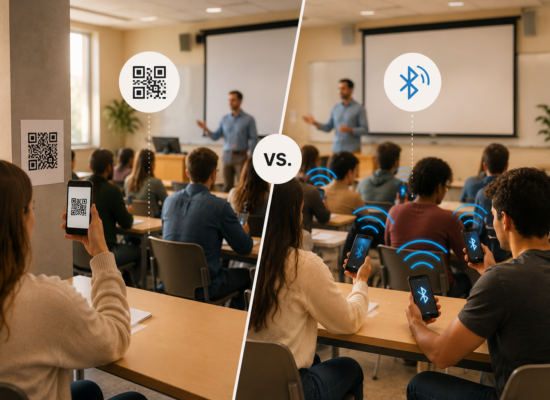
Taking attendance should not be the hardest part of teaching. Yet for instructors at universities worldwide, it often is. Roll calls in large lectures can take ten minutes or more. Sign-in sheets get passed around, go missing, or get signed by students who never showed up. QR codes are faster, but a screenshot shared over a group chat can mark absent students as present in seconds.
These are not hypothetical problems. Studies show that faculty in large classes spend between 5 and 10 minutes per session on roll calls alone, and that paper-based methods introduce errors at rates of 15 to 20 percent. Multiply that across a semester of twice-weekly lectures, and the cost in teaching time and data quality becomes significant.
Bluetooth attendance tracking was developed as a direct response to these problems. It is now used at universities across Europe and North America; from Tilburg University in the Netherlands to Indiana Wesleyan University in the United States, and it is increasingly recognised as the most reliable method for verifying student presence in the classroom.
This guide explains how Bluetooth attendance tracking works, why it outperforms the alternatives, and what to look for when choosing a system for your university.
What is Bluetooth attendance tracking?
Bluetooth attendance tracking records student presence using Bluetooth Low Energy (BLE) signals broadcast from an instructor’s device and received by students’ smartphones.
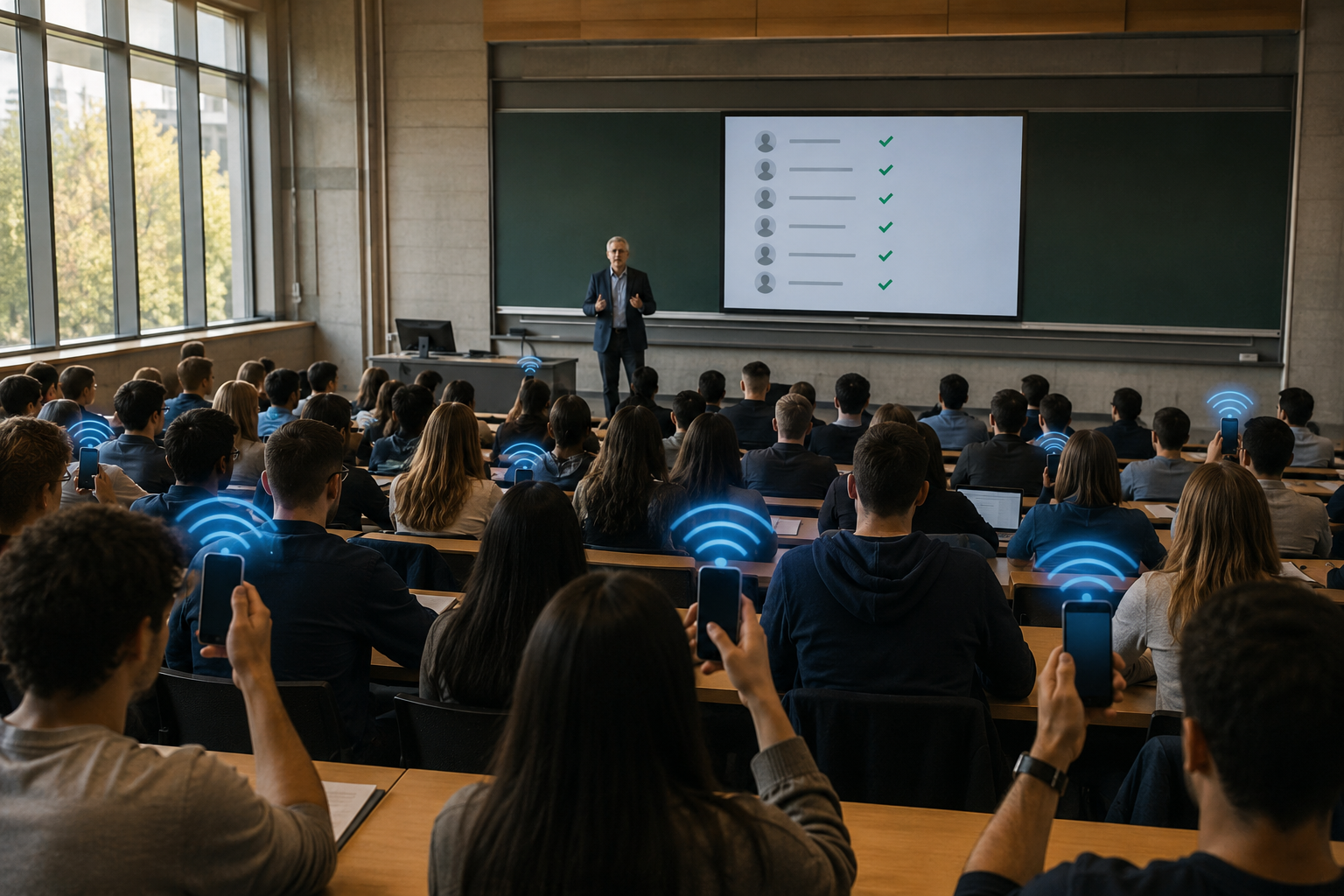
The process is straightforward. At the start of a session, the instructor opens the attendance app and emits a secure Bluetooth signal. Students open the same app and tap once to mark themselves present. The system verifies that each student is physically within range before recording the attendance. The session ends with a complete, accurate, timestamped record, stored automatically.
- No paper.
- No calling names.
- No scanning codes.
The entire process takes seconds.
What distinguishes Bluetooth from other digital methods is physical verification. Unlike a QR code that can be photographed and shared, a Bluetooth signal has a defined range. A student can only check in if they are actually in the room.
How Bluetooth Low Energy works in a classroom
Bluetooth Low Energy is designed to transmit small amounts of data over short distances while consuming minimal battery power, the same technology used in wireless headphones and contactless payments. In an attendance context, it functions as a proximity beacon.
When an instructor emits the BLE signal, it creates a detectable zone around the device, typically around 50 metres, depending on the environment. Students’ devices detect the signal through the attendance app, confirm proximity, and register the check-in.
Several verification checks happen in the background: physical range confirmation, identity verification against the class enrolment list, and timestamping of the record. None of this is visible to the student or instructor; from both sides, it is simply a tap.
This combination of proximity verification and identity confirmation is what makes Bluetooth more secure than QR codes, sign-in sheets, or roll calls, and why it scales from a 20-person seminar to a 300-seat lecture hall.
Why Bluetooth outperforms other attendance methods
Every attendance method involves tradeoffs between speed, accuracy, cost, and resistance to proxy sign-ins. If you want a full breakdown, see How do universities track student attendance? and How to check attendance: The different methods and Our Solution. Here is the short version.
Manual roll call is familiar but does not scale. In a 200-person lecture it can consume the first ten minutes of every session, and errors are common in noisy halls with late arrivals.
Sign-in sheets shift effort to students but introduce proxy signing, lost sheets, and manual data entry. The paper record still has to be transferred somewhere.
QR codes are fast and require no paper, but they have no location awareness. A screenshot shared in a group chat marks absent students as present. Rotating codes reduce the risk but do not eliminate it if the code moves quickly enough.
Geofencing uses GPS to define the classroom zone, but indoor GPS is frequently imprecise and location spoofing is straightforward with common tools.
Bluetooth ties attendance to verified physical presence in a specific room at a specific time. The signal does not travel through walls like a shareable link, and it cannot be spoofed as easily as a GPS coordinate. No hardware installation is required — the solution runs on smartphones that instructors and students already carry.
What about online and hybrid classes?
Bluetooth tracking requires physical proximity, so it does not apply to purely online sessions. This is where a manual code fallback matters.
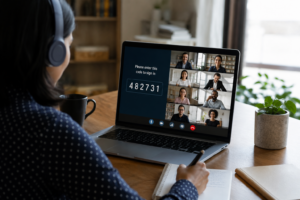
In a well-designed system, the instructor can generate a secure, randomly generated session code that students enter to mark their attendance. This is used for online classes, hybrid sessions where some students join remotely, or any situation where a device cannot connect to Bluetooth – a dead battery, an older handset, or a temporary technical issue.
The key difference from a QR code is that the manual code is delivered verbally by the instructor during the live session, or through a secure in-session channel. It is not a static image that can be screenshotted and shared after the fact.
Used together, Bluetooth for in-person sessions, manual codes for remote or exceptional cases, the system provides reliable attendance data across every teaching format without switching tools.
The security question: Can students cheat a Bluetooth system?
No attendance method is completely fraud-proof, and it is worth being direct about this.
Bluetooth makes proxy attendance meaningfully harder than any comparable method. The signal cannot be shared remotely, a student who is not present cannot receive it from outside the room. The system also verifies individual identity against the class list on check-in, so sharing login credentials carries real risk. And the physical range of the signal means that sitting in a nearby corridor is unlikely to be sufficient.
Could a student hand their unlocked phone to a classmate to check in for them? In theory, yes. But this requires physical coordination that is a much higher bar than forwarding a QR screenshot. For most universities, this level of resistance is sufficient and represents a significant improvement over every non-Bluetooth alternative.
What to look for in a Bluetooth attendance system
Not all tools are built the same way. These are the criteria that matter most when evaluating options.
Speed and simplicity.
The system should add almost no time to the start of class. If setup takes more than a tap or two, instructor adoption suffers.
A reliable fallback for online and hybrid.
As discussed above, a manual session code is essential for remote classes and edge cases.
Data export and reporting.
Attendance records need to be accessible, shareable, and exportable (ideally to Excel or CSV) without manual reformatting. This matters for compliance, visa documentation, and sharing records with academic advisors. See How the F-1 student visa works and why attendance matters for an example of how attendance data intersects with regulatory requirements.
LMS integration.
The strongest setups push attendance data directly into the university’s learning management system, eliminating duplicate entry. More on this at How to track attendance in your learning management system.
Scalability and privacy.
The system should work equally well in a seminar of 20 and a lecture of 300, and it should handle student data in a way that is transparent and compliant with applicable privacy regulations.
How Attendance Radar uses Bluetooth to simplify class check-in
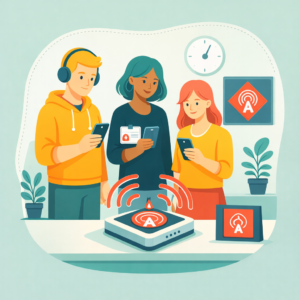
Attendance Radar was built around exactly these requirements, shaped by feedback from hundreds of instructors worldwide.
The instructor opens the app and taps to emit a secure Bluetooth signal. Students present in the room tap once to check in. With over one million attendances tracked, Attendance Radar saves up to five seconds per attendance compared to manual methods, a meaningful return across a full semester of large-class sessions.
For online sessions or students who cannot connect via Bluetooth, instructors switch to the manual code: a randomly generated six-digit code shared verbally during the live session. Records are stored automatically, visible to students in the app, and exportable to Excel for reporting and compliance purposes. The University version integrates directly with LMS and student information systems.
Universities including Tilburg, Antwerp, Indiana Wesleyan, Belhaven, and IESE Business School have used Attendance Radar across seminar rooms, large lecture halls, and MBA programmes.
Attendance Radar is free to download and use. There is a premium tier which adds recurring sessions, course archives, and detailed attendance reports. University plans include administrator accounts, multi-trainer support, LMS integration, and optional white-labelling.
Frequently asked questions
What is Bluetooth attendance tracking?
A method of recording student presence using a Bluetooth Low Energy signal emitted from the instructor’s device. Students tap once in the app to check in. Because the signal has a limited physical range, students must be in the room to register.
Is Bluetooth more secure than QR codes?
Yes, in most real-world conditions. A QR code can be photographed and shared remotely. A Bluetooth signal only exists in the physical space where it is broadcast, making proxy attendance significantly harder to execute.
What happens if a student cannot connect to Bluetooth?
A manual fallback is available. In Attendance Radar, the instructor generates a secure six-digit session code that students enter manually. This is also the primary method for online and hybrid classes.
Does it work in large lecture halls?
Yes. Attendance Radar has been used in classes ranging from small seminars to lectures with several hundred students, with no additional hardware required.
Does it work for online classes?
Bluetooth requires physical proximity, so online sessions use the manual code method instead. The instructor shares a session-specific code verbally during the live class, and students enter it to mark their attendance.
Is the data GDPR compliant?
Attendance Radar is built with privacy-by-design principles — collecting only what is necessary and storing it securely. Universities operating under GDPR should review the data processing agreement with their provider.
The bottom line
When attendance tracking takes too long or produces unreliable records, it becomes a distraction from teaching. Bluetooth tracking reduces that friction to near zero – verifying physical presence without hardware, scaling across class sizes, supporting online formats through a manual code fallback, and producing clean exportable records for compliance and reporting.
If you are ready to make attendance the simplest five seconds of your teaching day, Attendance Radar is free to download.
Download Attendance Radar and track your first session today.