Registration numbers tell you who planned to come. They do not tell you who walked in, stayed for the session, or slipped out after the coffee break. For university teams running workshops, guest lectures, orientation sessions, and residencies, that gap matters.
Event attendance tracking closes it. Done well, it gives you a reliable record of who attended which session, with no queue at the door and no pile of sign-in sheets to type up afterwards. This guide explains why event attendance tracking is harder than it looks, what a good system needs to do, and how Attendance Radar handles it.
Why event attendance tracking is harder than it looks
A seminar has one room and one class list. Events rarely work that way. People arrive in waves, move between sessions, and often include guests the organiser has never met. That exposes several problems.
Queues at the door. A check-in desk with a printed list slows everyone down. The first session starts late, and the organiser spends it apologising.
Registered is not the same as present. A registration list shows intent, not attendance. For multi-session events, you also need to know who was in which room.
Records that take hours to clean. Handwritten sheets have to be typed up, and names are often hard to read. Meanwhile, the funder report or certificate list is already due.
Sign-ins on behalf of others. When a sheet is passed around, one person can sign for several. For more on this problem, see Proxy attendance in universities: what it is and how to stop it.
What good event attendance tracking needs to do
Before choosing a tool, be clear about the job. A good system should:
- Check people in quickly, so sessions start on time.
- Record attendance per session, not just per event.
- Confirm physical presence for in-person events.
- Handle exceptions, such as a flat battery or a remote participant.
- Produce a clean list you can export for reports, certificates, or follow-up.
If a system misses one of these, the organiser usually ends up filling the gap by hand.
How Attendance Radar handles event attendance tracking
Attendance Radar was built for classrooms, and it suits events for the same reasons: a group of known people, a room, and a record you need afterwards. The organiser sets up the event and its sessions in the app, and attendees check in as each session starts.
Check-in by Bluetooth
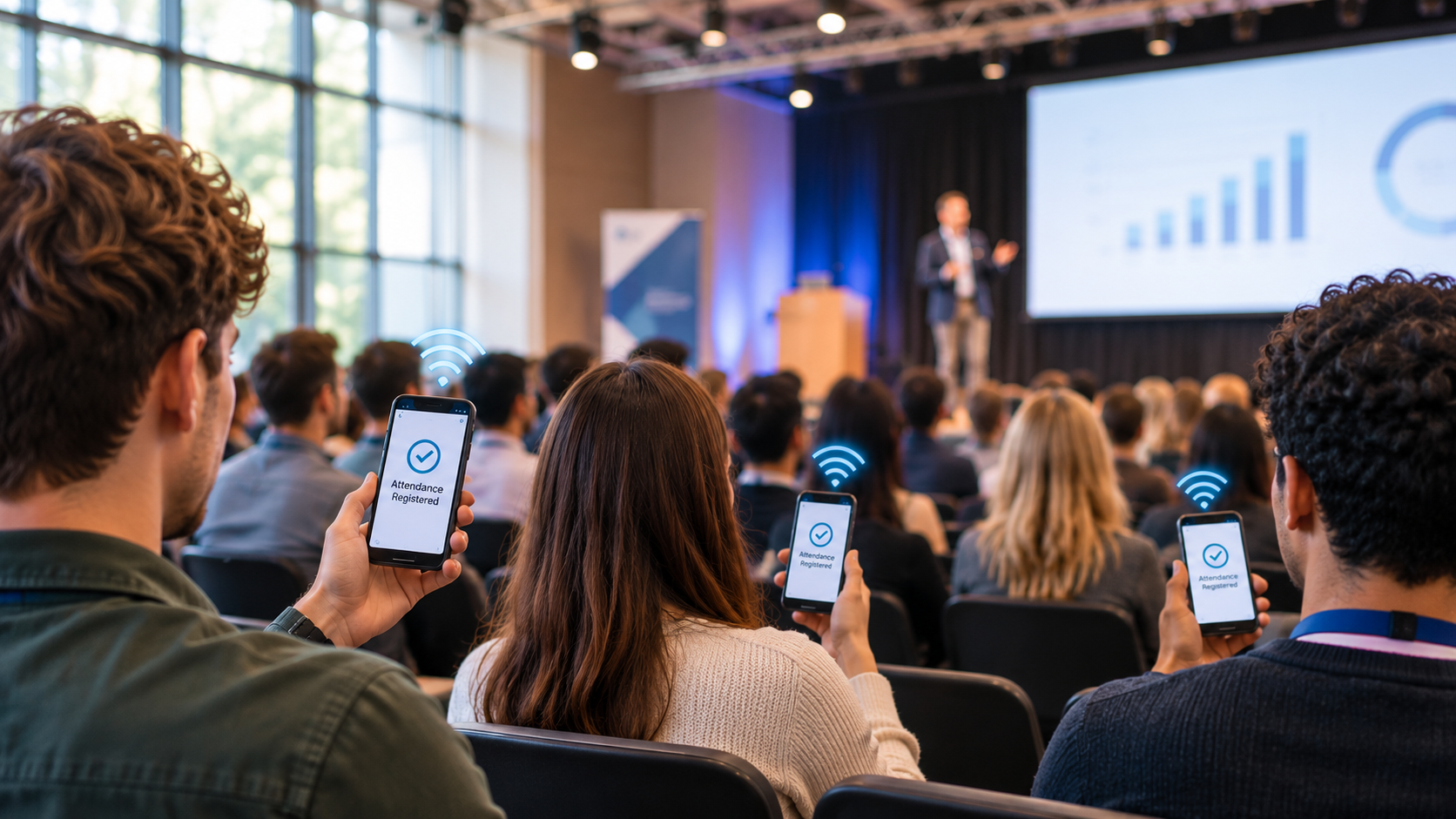
At the start of a session, the organiser taps once to start the check-in. Attendees open the app and tap to confirm they are there. Bluetooth proximity means attendees need to be in the room to check in, so a message forwarded to someone outside does not count.
In addition, everyone checks in at the same time, so a session of 300 takes no longer than a session of 30. For more on how this works in large rooms, see How to take attendance in large university lectures.
The manual code for remote attendees and exceptions
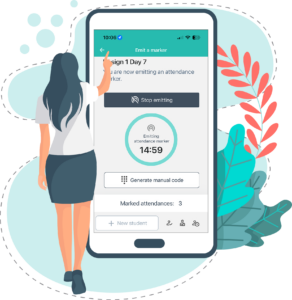
Some attendees cannot connect by Bluetooth, and some events have a remote audience. For these cases, the organiser can share a session code that attendees enter in the app.
It is worth being direct about the trade-off. A code can be passed to someone who is not there, so it is less secure than Bluetooth. For in-person events, Bluetooth is the default and the code is the fallback. For hybrid sessions, see Attendance tracking for hybrid and online university courses.
One record per session, ready to export
Each session produces a timestamped attendance list. After the event, the organiser exports the records to Excel to build a certificate list, a funder report, or a follow-up email.
Attendance Radar is free to download and use.
Premium ($9 per month or $69 per year) adds recurring sessions, course archives, and detailed attendance reports, which helps with workshop series.
University plans add administrator accounts, multi-trainer support, and LMS integration. See the pricing section for details.
Where Attendance Radar fits, and where it does not
Attendance Radar suits events with a known group of attendees and a room to check into:
- Workshops and training sessions
- Guest lectures and lecture series
- Orientation and induction sessions
- Multi-day residencies and short courses
Indiana Wesleyan University uses it during its International Student Program residencies. You can read the full story from Indiana Wesleyan University, or see how Attendance Radar worked at IPSIG.
It is not an event management platform. It does not sell tickets, run registration pages, print badges, or track which stands an attendee visited. Attendees also need the app on their phone, so it works best when you can ask them to install it before the event or at the start.
A simple setup for your next event
- Set up the event and add a session for each talk or workshop.
- Add your attendee list, for example by importing it from Excel.
- Ask attendees to install the app and sign in before the day.
- Start the check-in at the beginning of each session.
- Share the session code with anyone who cannot connect by Bluetooth.
- Export the records after the event.
Frequently asked questions
What is event attendance tracking? Event attendance tracking is the process of recording who actually attends an event, and ideally which sessions they join. It goes beyond registration numbers to give organisers a record of real attendance.
How do you track attendance at an event? Decide whether you need a record per event or per session, choose a check-in method that fits the venue, and export the records afterwards. With Attendance Radar, the organiser starts a session, attendees tap to check in, and the record is stored automatically.
Do attendees need to install an app? Yes. Attendees check in through the Attendance Radar app. It is designed for groups of known attendees, so it is not the right tool for open public events where anyone can walk in.
Can I track attendance at online or hybrid events? Yes, with the manual session code. The organiser shares the code during the live session and attendees enter it in the app.
Can I export the attendance list? Yes. Records can be exported to Excel for reports, certificates, or follow-up. Certificates themselves are created outside Attendance Radar, using the exported list.
The bottom line
Good event attendance tracking gives you a clear answer to one question: who was actually there? With Attendance Radar, you can check in a whole room at once, record every session, and export a clean list when the event ends.
Start free and see who actually attends your next event, with no sign-in sheets to type up afterwards.
Download Attendance Radar for free today.
For more on how Attendance Radar compares with other check-in methods, see QR code attendance vs Bluetooth attendance: a comparison for university instructors.




Comments are closed, but trackbacks and pingbacks are open.